When you delete temporary internet files, also known as clear browser cache, you clear the history and removes data saves as a result of your browsing.
Select browser
Follow the guide:
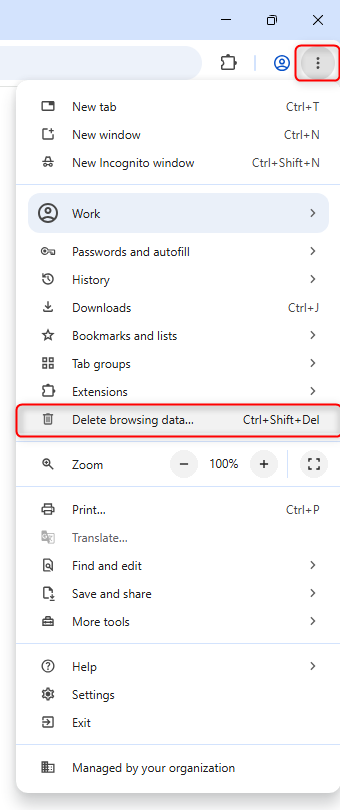
Open Chrome.
At the top right - click the three dots.
Click 'Delete browsing data'.
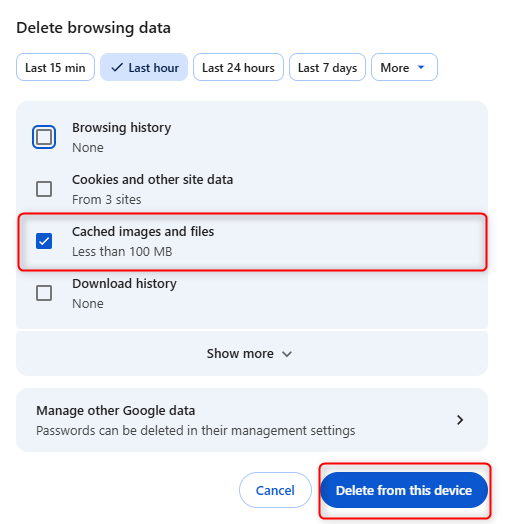
At the top, choose a time range or to delete everything, select 'More' then 'All time'
Next to "Cached images and files," check the boxes.
Click 'Delete from this device'.
Follow the guide:
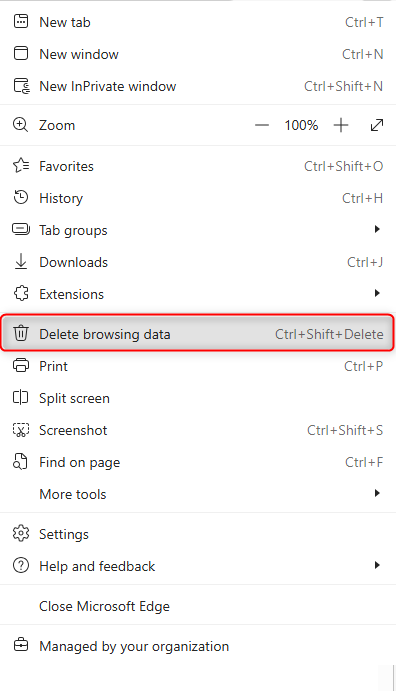
Open Edge
At the top right - click the three dots.
Select 'Delete browser data'
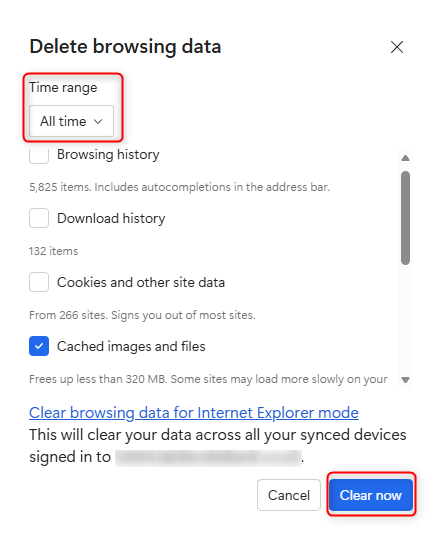
In the 'Delete browsing data' window under 'Time range' choose a time range. To delete everything, select 'All time'.
Select 'Cached images and files'.
Click 'Clear now' to clear your temporary internet files.
Close and reopen Edge for the changes to take effect.
Follow the guide:
Open Safari
Open the menu Safari at the top.
Select 'Settings'.
Select 'Privacy' and then click 'Manage Website data'.
Select one or more websites, then click 'Remove' or 'Remove All'.
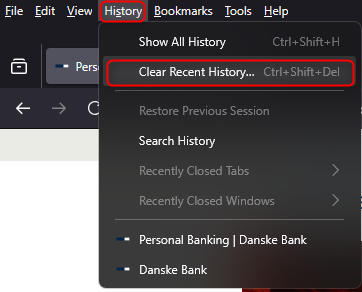
Follow the guide:
Open Firefox.
Click "Alt" on your keyboard and get the top menu.
Click "History" in the top menu and choose "Clear Resent History".
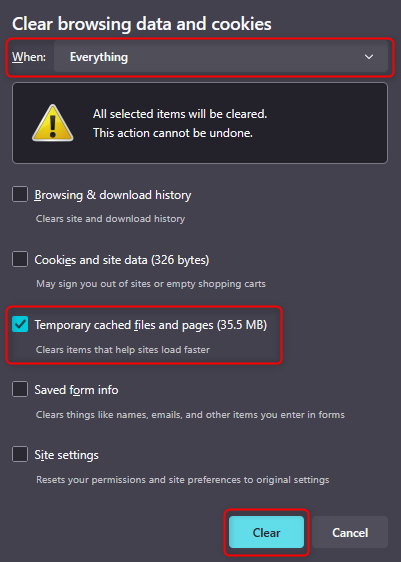
Choose 'Everything'. You only need to tick 'Temporary cached files and pages'.
Danske Bank’s use of cookies and processing of personal data
We use data from our own cookies and from third-party cookies. We use cookies and process personal data for the purpose of remembering your settings, improving our services, measuring traffic, showing you relevant messages (including profiling) and tracking your use of our website. You can choose to accept our use of all cookies, our use of functional, statistical and marketing cookies or our use of necessary cookies only. Your consent covers the use of both cookies and the associated processing of personal data. To get more information, click use of cookies and processing of personal data. To read more about how to revoke your consent, click the cookie policy link at the bottom of our website.
Content is loading
Show
Hide
Show more rows: All table rows are already visible for screen readers.
Show less rows: All table rows are already visible for screen readers.