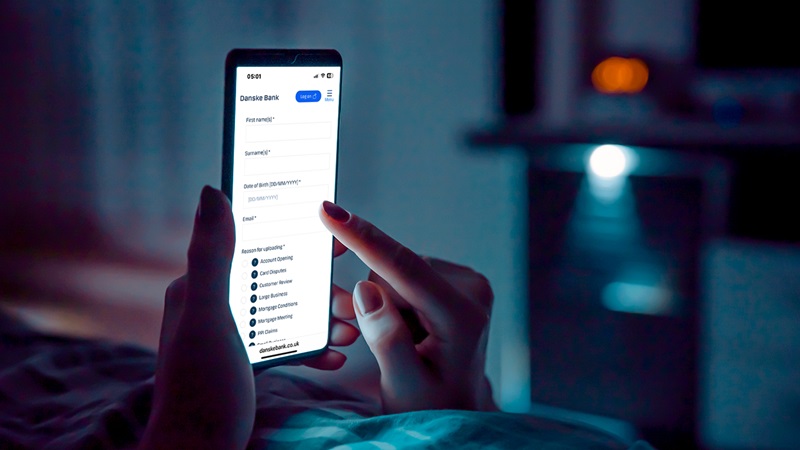
Upload your child's identity document for their new Danske Discovery account using the form below.
To finish your Danske Discovery application for your 8-10 year old, we'd now like you to upload some documents.
Proof of identity for the child - Please upload one of the following documents ensuring the full document is visible including all reference numbers.
Birth Certificate
Adoption Certificate
Valid Passport
Proof you are the legal guardian (If you declared this on the application form).
When we receive your application, we will try to confirm your identity electronically. If this is not possible, we will contact you to request additional proof. If we do, we will get in touch with you, and you can upload a photo of the original documents here too using your PC, mobile phone or tablet.
Any documents uploaded must be clear and easy to read. We should already have given you a list of what we can accept for proofs of identity and address.
Danske Bank’s use of cookies and processing of personal data
We use data from our own cookies and from third-party cookies. We use cookies and process personal data for the purpose of remembering your settings, improving our services, measuring traffic, showing you relevant messages (including profiling) and tracking your use of our website. You can choose to accept our use of all cookies, our use of functional, statistical and marketing cookies or our use of necessary cookies only. Your consent covers the use of both cookies and the associated processing of personal data. To get more information, click use of cookies and processing of personal data. To read more about how to revoke your consent, click the cookie policy link at the bottom of our website.
Content is loading
Show
Hide
Show more rows: All table rows are already visible for screen readers.
Show less rows: All table rows are already visible for screen readers.